Does Retrobatch has node which can create new empty bitmap with selected size (f.ex. in pixels). I would like to prepare sample image set for my students by using empty sheet and later “write” text on it or put other images etc. Now I just created empty image using Acorn, put in folder and start from reading it, but try to do this only using Retrobatch (Pro).
Hello, and welcome.
Under the “Generator” category, there’s a “Blank Image Creator” node which will do what you’re after.
1 Like
Sorry I don’t see such node!
Also Search option don’t show me such node. I’ve asked because I also didn’t found such function on official Retrobatch site with documentation?
What I see in Generators
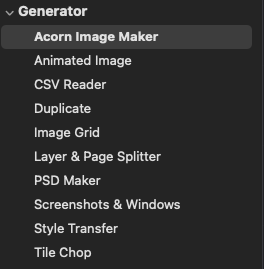
Piotr
Which version of Retrobatch do you use? In version 2.3.1 (1673) I see the following nodes under “Generator” :
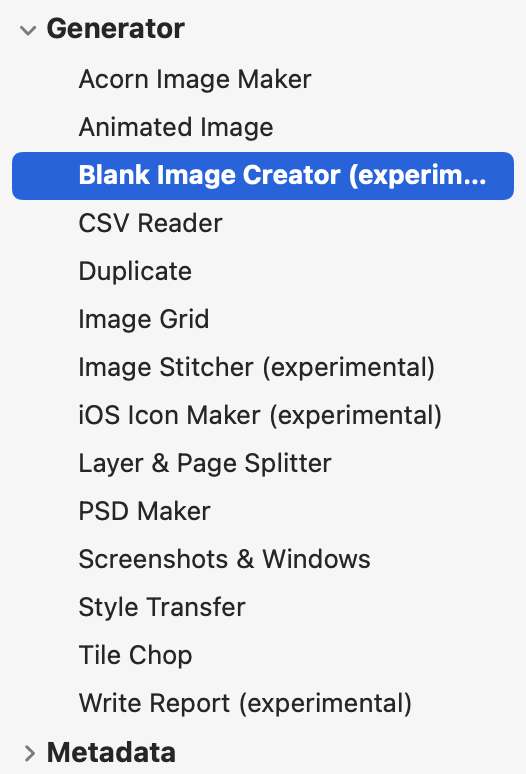
Best regards
Oh sorry - my bad. I forgot this is an “experimental” node and isn’t quite public yet because I want to do some more work on it (such as picking the color profile for the made image).
The trick to get it to show up is to quit Retrobatch, open up the Terminal application, and paste in the following line and press enter:
defaults write com.flyingmeat.Retrobatch showPrivateNodes 1
Then relaunch Retrobatch and it’ll show up. It’ll be an officially supported node in the future.
1 Like
Thanks, now I see so many (experimental) new possibilities  . I hope that that it will be available (still) in version 8 soon.
1 Like