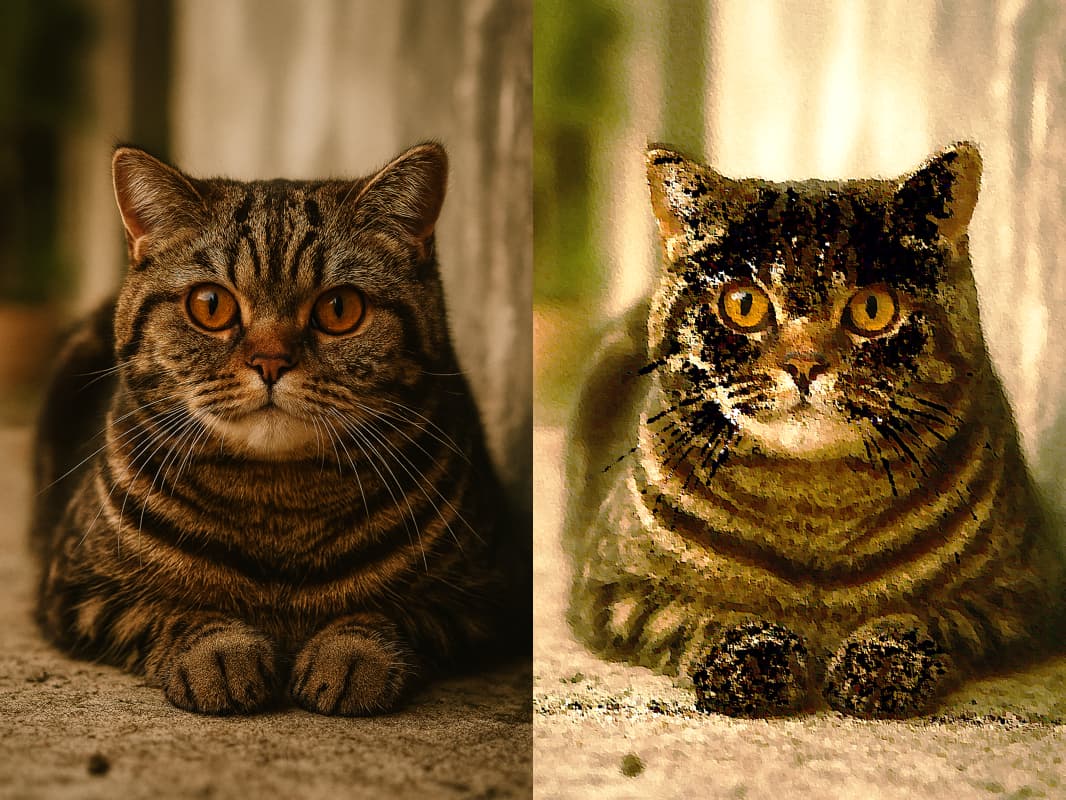
Not sure if this is possible but I use a filter almost everyday in photoshop called “Oil Paint”. It basically converts the image into the appearance of a oil painting. It has the following settings.
Stylization
Adjusts the style of the strokes, ranging from a daubed look at 0 to smooth strokes at 10
Cleanliness
Adjusts the length of the strokes, ranging from shortest & choppiest at 0 to longest & fluid at 10
Scale
Adjusts the relief or apparent thickness of the paint, moving from a thin coat at 0 to a thick coat, giving luscious Vincent van Gogh-style paint globs, at 10
Bristle Detail
Adjusts how much of the paintbrush-hair indentation is apparent, moving from soft at 0 to leaving strong grooves at 10
It would be awesome if this was available at some point or even better, a new type of filter that could incorporate a number of settings like these that would be in one filter…. kind of like a custom/user filter. Options that could morph, twist, etc all in one filter. Maybe they could be saved and user named? — Maybe I’m getting ahead of myself.
There’s nothing like that in Acorn right now, though it does sound like something that a maybe a generative model would be able to do someday. If Apple doesn’t bring those models to the Mac sometime soon, I’ll probably add an optional 3rd party integration to Acorn to make these kind of things possibly (completely optional of course!)