Like the title says. Before, new images would always open in tabs, now it’s separate windows… I’ve got ‘Prefer tabs’ set to ‘Always’…?
There should be a little tooltip that shows up on the disabled Prefer Tabs: popup that explains things. But in short, tabs + edge to edge canvas aren’t compatible. You’ll need to turn off edge to edge canvas option in Appearance to get tabs back.
I really really want a tabs solution w/ edge to edge canvas, but Acorn isn’t quite there yet.
Thanks, Gus, but I have ‘Display images edge-to-edge’ turned off and ‘Prefer tabs’ set to A’lways’. When I cmd-alt-N to open from the Clipboard, I get an edge-to-edge window that fills my entire monitor….
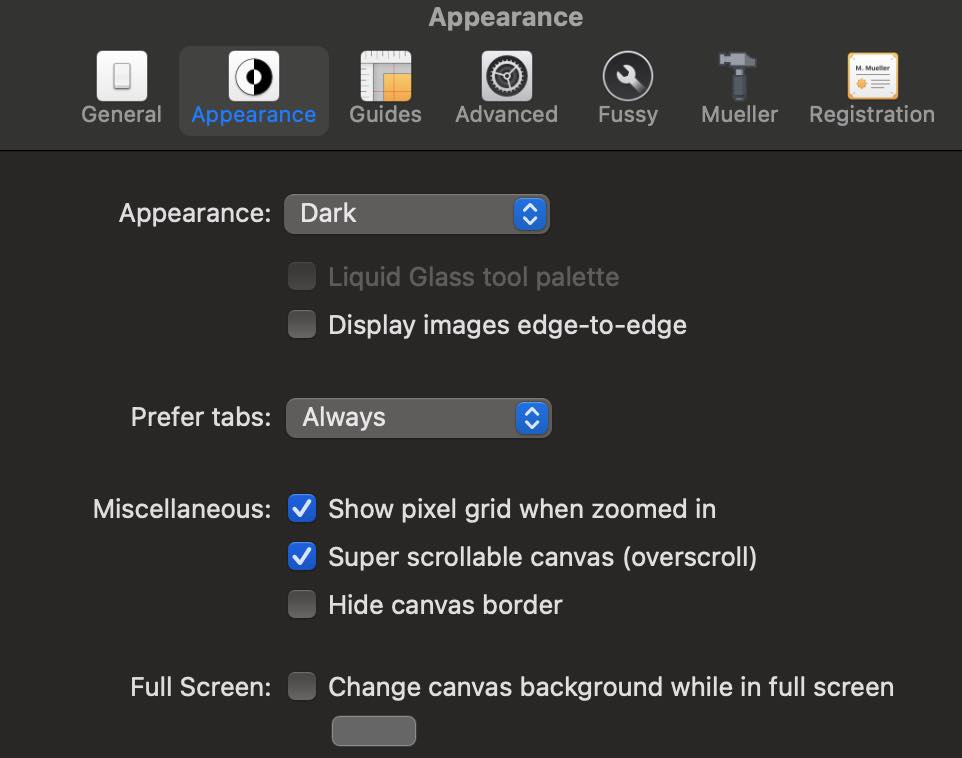
Can you open up Acorn’s Help ▸ Report Bugs or Feature Requests menu item, check the box that says “Include Preferences” at the bottom of the window, and send in a little report referencing this post?
I wonder if there’s some strange combo of preferences that is making this happen for you (I tried and couldn’t reproduce it on my end).
Also, does opening up an image behave normally? Is it only when using the clipboard to make a new image where this is a problem?
-gus
The same happens for me if I drag two images on the Acorn icon. They open in two separate windows despite the setting in preferences to always prefer tabs. (report with preferences sent as described in your post)
1 Like
Thanks for sending the prefs along!
I’ve got the bug fixed for the next release as well as in the latest builds, which you can grab a preview of from the following URL: https://flyingmeat.com/download/latest/
Let me know if you run into any more issues.
-gus
1 Like
The latest build is ok for me - always open in tabs works now as expected. Thank you for the fast fix!